The full page set
Everything included in a BidWebStudio website
Every feature of a BidWebStudio auction website: catalog, registration, speed, SEO, AI Engine, hosting and more, and which plan carries each one.
- 17features documented
- 15on every plan
- 3plans to choose from
The page set
Every page a sale needs, on one stand
Drag through the set, or use the arrows. Each of these is built for every plan, not sold as an add-on.
Catalog pages built for lots, not blog posts
A sale catalog with filters by category, closing time and status, not a generic list of posts.
- The problem it solves
- Lot lists live in a photo album or a spreadsheet, so bidders scroll past the lots they came for and leave.
- Your part
- Send the lot list and photos for each sale, however you already keep them. We load them.
Available onPaddleRostrumBlock
- 01.1
Why a catalog page is not a blog archive
A sale catalog needs to answer a different question than a blog archive: which lots are open, which are closing soonest, and which category a bidder actually came for. The catalog template is built with filters for category, closing time and status from day one, so a sale with five lots and a sale with five hundred lots both stay usable. Lot cards carry a photo, current status and a link to the full lot page, and the layout holds up whether you run one sale a month or several sale rooms at once.
- 01.2
One template, many sale types
The same catalog structure adapts to an estate sale, a farm equipment sale or a fine art sale, because the fields that change, such as condition notes, provenance or equipment hours, live on the lot page template rather than the catalog page itself. That means a revision to add a new spec field for one sale type does not touch the catalog layout everyone else depends on.
Pages that open instantly during a live sale
Custom-coded pages served from the edge, 90+ PageSpeed guaranteed, even under a closing-time traffic spike.
- The problem it solves
- The site slows down in the last minutes before lots close, which is exactly when bidders and paid visitors arrive.
- Your part
- Nothing. Speed is how the site is built and hosted, not a setting you manage.
Available onPaddleRostrumBlock
- 02.1
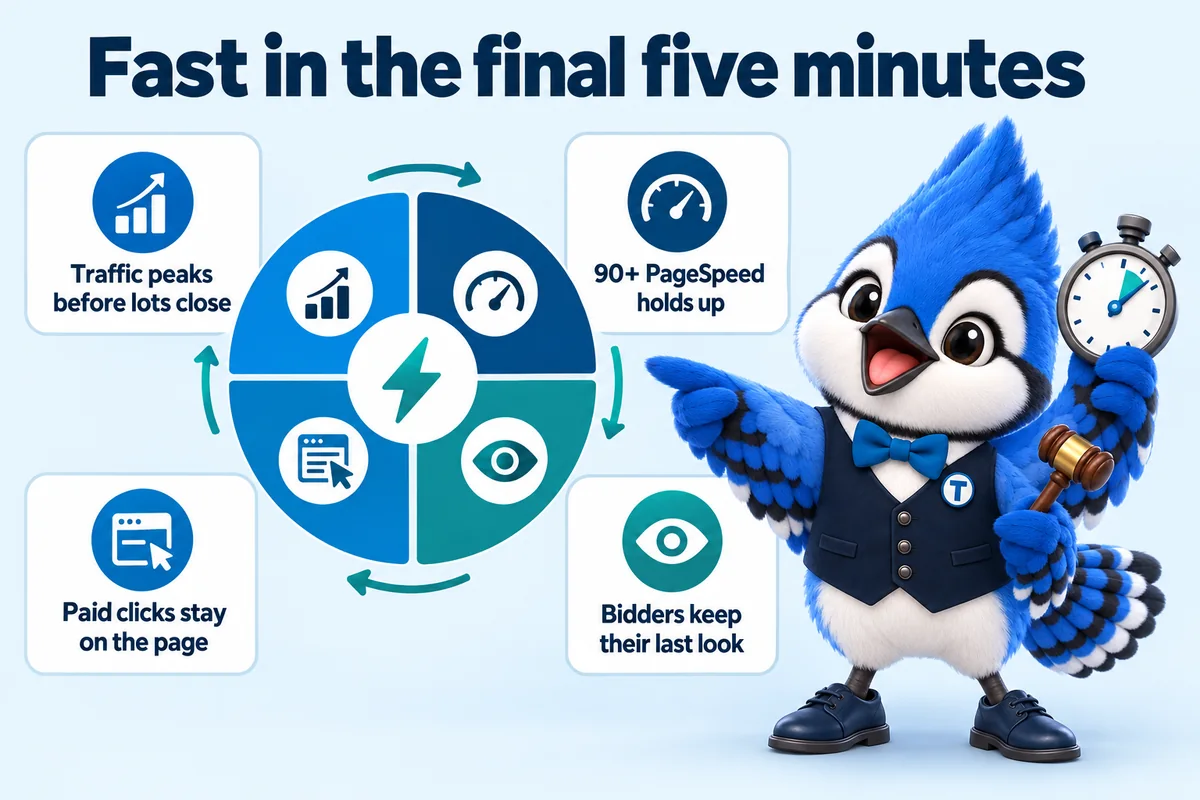
Why speed matters most in the last five minutes
Traffic to a catalog or lot page peaks in the minutes before a sale closes, exactly when a slow page costs a bidder their last look at a lot. Every page is custom coded, ships almost no JavaScript, and is served from Cloudflare's global edge, so the site holds up under that spike rather than slowing down when it matters most. Ninety-plus PageSpeed is a guarantee we hold ourselves to, not a target.
- 02.2
Why a fast page can make your ad clicks cheaper
If you run Google Ads for a sale, you pay for every click whether or not the page loads. Google's own Ads help explains that Quality Score is built partly from landing page experience, meaning how relevant and useful your page is to the people who click, and a better Quality Score can lower what you pay per click. Speed matters to those visitors too: Google research published on Think with Google in 2018 found that as mobile page load time goes from one second to ten, the probability of a visitor bouncing increases 123 percent. A page that opens quickly on a phone, and shows the sale the ad promised, helps on both counts, and more of the paid clicks stay long enough to register or browse the catalog instead of bouncing on a blank screen. We do not promise a specific drop in cost per click, because that depends on your bids, your competition and your ads, but a slow landing page is a cost you should not be paying.
- 02.3
Fast on the phone a bidder is actually holding
Many bidders check a closing lot from a phone, often on a patchy connection at a preview or in a truck. Pages are built mobile first: large tap targets, images sized for the screen they land on, and no heavy page-builder scripts. The same speed standard applies on every plan.
Paddle and bidder registration built into the site
A registration page that collects what your sale needs before a bidder ever reaches the floor or the feed.
- The problem it solves
- A printable PDF registration form stops first-time bidders on a phone, and the office ends up doing it by phone instead.
- Your part
- Tell us the fields and terms your sale needs, once. Changes later are a normal revision.
Available onPaddleRostrumBlock
- 03.1
What the registration page collects
A bidder registration page asks for contact details, payment on file where your process requires it, and any sale-specific terms a bidder needs to accept, then confirms a paddle number or bidder ID back to them. It is built as a real page on your site rather than a PDF attachment, so it works the same on a phone as it does on a desktop, and it can link straight into the bidding or payment platform you already use to finish the process.
- 03.2
One flow, reused per sale
The registration flow is a page template, not a one-off form, so a new sale reuses the same structure with updated terms rather than starting from scratch. Changes to the fields you collect, such as adding a buyer premium acknowledgment, are a standard revision.
Live sale status and countdown
A visible countdown and current-bid status on catalog and lot pages, so nobody is guessing when a lot closes.
- The problem it solves
- Remote bidders misread a closing time or its time zone and miss the lot, then call the office.
- Your part
- Nothing beyond your sale dates. The status reflects what your bidding platform reports.
Available onPaddleRostrumBlock
- 04.1
Why a countdown belongs on the page itself
Bidders should never have to calculate a closing time from a listed date and a stated time zone. The catalog and lot page templates carry a visible countdown and a status label, such as open, closing soon or closed, so the state of a sale is obvious at a glance. The countdown updates the display only; the authoritative bid data and closing logic still live in your bidding platform, and the website reflects what that platform reports.
Settlement and results pages
A clean page for invoices, pickup terms and past results once a sale closes.
- The problem it solves
- Invoices, buyer premium and pickup windows go out by email, and some winning bidders never read them.
- Your part
- Send each sale's terms and results. We publish them to the settlement page and the archive.
Available onPaddleRostrumBlock
- 05.1
What happens once the hammer falls
A settlement page lays out what a winning bidder owes, the buyer premium if one applies, payment instructions and the pickup or shipping window, in one place rather than a follow-up email that can get missed. A results archive page keeps closed sales visible after the fact, which sellers use to gauge value and search engines use to index your sale history.
- 05.2
Built to reuse after every sale
The settlement and archive pages are templates that take a new sale's results as a normal update, so publishing results after Saturday's sale does not require a developer or a rebuild.
Search visibility for the sale types and areas you serve
Pages structured so search engines can tell what you sell, where, and to whom.
- The problem it solves
- One general page tries to rank for every sale type and every town, so it ranks for none of them.
- Your part
- Tell us the sale types you run and the areas you actually serve. We build the pages.
Available onPaddleRostrumBlock
- 06.1
What actually gets a sale room found online
A search engine ranks a page for "farm equipment auction near me" or "estate sale auctioneer in [area]" when the page structure makes that clear: a dedicated page per sale type, a stated service area, and schema markup describing the business and its sales. That structure is built into every page from launch rather than bolted on later.
- 06.2
Location pages for the towns and counties you sell in
Most auction searches carry a place: "estate auction Tulsa", "farm sale near me", "county surplus auction". We build a page for each sale room or service area you actually cover, with its own address or area, its own upcoming sales and its own questions answered, rather than one paragraph copied with the town swapped. Those pages are how a site starts showing up for local searches in each area, and they are part of the build, not an upsell.
- 06.3
Technical and on-page SEO, done as part of the build
Every page ships with a unique title and description, one clear heading, clean URLs, fast load, an XML sitemap, canonical tags and internal links between sale types, lot pages and articles. None of that is a plugin you have to configure. It is how the pages are written and built.
- 06.4
Structured data that describes your business accurately
We add JSON-LD structured data to every page type: Organization or LocalBusiness for the company, Service for what you sell, FAQPage wherever questions are answered on the page, BreadcrumbList for the site structure, and Review markup only for reviews that are real. That structured data is how search engines and AI assistants read who you are, where you sell and what a page is about, instead of guessing.
The AI Engine
AI agents that answer bidder questions and route consignment inquiries, without giving bidding or legal advice.
- The problem it solves
- Bidders and sellers message at night and on sale day, when nobody in the office can answer quickly.
- Your part
- Approve the answers it gives during setup, and tell us who should receive the inquiries it collects.
Available onPaddleRostrumBlock
- 07.1
What the AI Engine handles
On Rostrum and above, an AI agent answers the questions bidders ask most, such as pickup windows, payment methods and how registration works, directly on the site. It can also take the first details of a consignment inquiry and route them to your team, so a seller reaching out at midnight is not waiting until morning for a reply. It is configured to hand off anything resembling bidding strategy, valuation or legal guidance to a person.
- 07.2
Receptionist and messaging agents, not only a chat box
The AI Engine covers more than the chat window on your site. On the plans that include it, AI receptionist and messaging agents answer questions about your business, take inquiry details and book appointments, such as a consignment walkthrough or a preview visit, and pass the conversation to your team with the details already written down. Which channels are switched on is agreed at onboarding.
- 07.3
What it will not do
It will not place, accept or advise on a bid, quote a value for an item, or give legal, licensing or payment advice. Those questions go to a person on your team. The answers it does give come from your own terms of sale, pickup rules and FAQs, which you approve before it goes live.
- 07.4
Billed at cost, not marked up
AI usage is billed monthly in arrears at what our providers charge us, on top of the flat monthly fee, so the cost tracks how much the agent is actually used rather than a flat guess.
The Content Engine
An expanded article program on Block, publishing three researched pieces a week instead of two.
- The problem it solves
- A busy sale calendar leaves no time to write the articles that bring buyers and consignors in between sales.
- Your part
- Nothing, unless you want to suggest topics. Articles publish without you filing a ticket.
Available onPaddleRostrumBlock
- 08.1
Why more articles matter for a sale calendar
Block runs three researched articles a week instead of two, each 2,500 to 3,200 words and cited to real sources, which matters for an operation running frequent sales across several categories where there is simply more ground to cover: buyer premiums, condition grading, consignment processes and regional sale calendars all become their own articles rather than competing for the same two weekly slots.
Managed hosting and security
Cloudflare hosting with SSL, CDN, DDoS protection and unmetered bandwidth, included on every plan.
- The problem it solves
- Separate bills for hosting, SSL and bandwidth, and nobody watching the site when a lot gets shared widely.
- Your part
- Nothing. There is no hosting account for you to log in to.
Available onPaddleRostrumBlock
- 09.1
What is included and never billed separately
Every site runs on Cloudflare's global network with SSL, a content delivery network, DDoS protection and unmetered bandwidth, all inside the monthly fee. There is no hosting invoice, no SSL renewal fee and no bandwidth overage charge, including during the traffic spike a closing sale or a widely shared lot can bring.
Inquiries and registrations routed to your CRM
Every form on the site lands where your team already works, by API, Zapier or Make, not in an inbox nobody checks.
- The problem it solves
- Consignment inquiries and bidder questions arrive by email, get buried, and a seller signs with another auctioneer before anyone replies.
- Your part
- Tell us the CRM or inbox inquiries should reach, and who gets notified. We connect it during onboarding.
Available onPaddleRostrumBlock
- 10.1
Where a consignment inquiry goes
Contact, consignment and registration forms are connected to the CRM you already use by API, Zapier or Make, set up as part of onboarding. Each inquiry arrives with the details the form collected, so your team can follow up from the system they already live in rather than copying email into a spreadsheet.
Weekly updates and revisions, handled for you
New sales, catalog swaps and results published every week, with 5 revisions a month of any size.
- The problem it solves
- The site goes stale between sales because updating it means learning a builder or waiting on a developer.
- Your part
- Send the change from your client portal or by email. That is the whole job on your side.
Available onPaddleRostrumBlock
- 11.1
What gets updated every week
New sale listings and catalog swaps, results added to the archive as sales close, and security and performance checks on the hosting all happen as part of the monthly plan. You do not log in to anything to make it happen.
- 11.2
How revisions work
5 revisions are included every month, and a revision can be as large as you like: "add a spec-sheet layout for equipment lots" is one revision. Each one is completed within 2 to 5 working days. After the included 5, extra revisions are a flat $20 each, never hourly.
Researched articles every week
2 researched articles a week on every plan, 3 on Block, each 2,500 to 3,200 words.
- The problem it solves
- Buyers and consignors search questions like "what is a buyer premium" between sales, and the answer they find is on someone else's site.
- Your part
- Nothing, unless you want to suggest topics from what your customers ask.
Available onPaddleRostrumBlock
- 12.1
What the articles cover
Articles answer the questions bidders and sellers in your sale categories actually search, such as how absentee bidding works, what a buyer premium covers or how to prepare for an estate walkthrough. Each runs 2,500 to 3,200 words, every figure is cited to a real source, and they are written by our editorial team. They never give licensing, escrow or legal advice.
Built to be found by search engines and quoted by AI assistants
Answer-first pages, FAQ blocks, clean business data and an llms.txt file, so answer engines can read and cite your site.
- The problem it solves
- More buyers ask ChatGPT, Claude, Perplexity or Google's AI Overviews "who runs farm auctions near me" and get an answer that never mentions you.
- Your part
- Nothing. It is how the pages are written and marked up.
Available onPaddleRostrumBlock
- 13.1
AEO: answers that get pulled into snippets and voice results
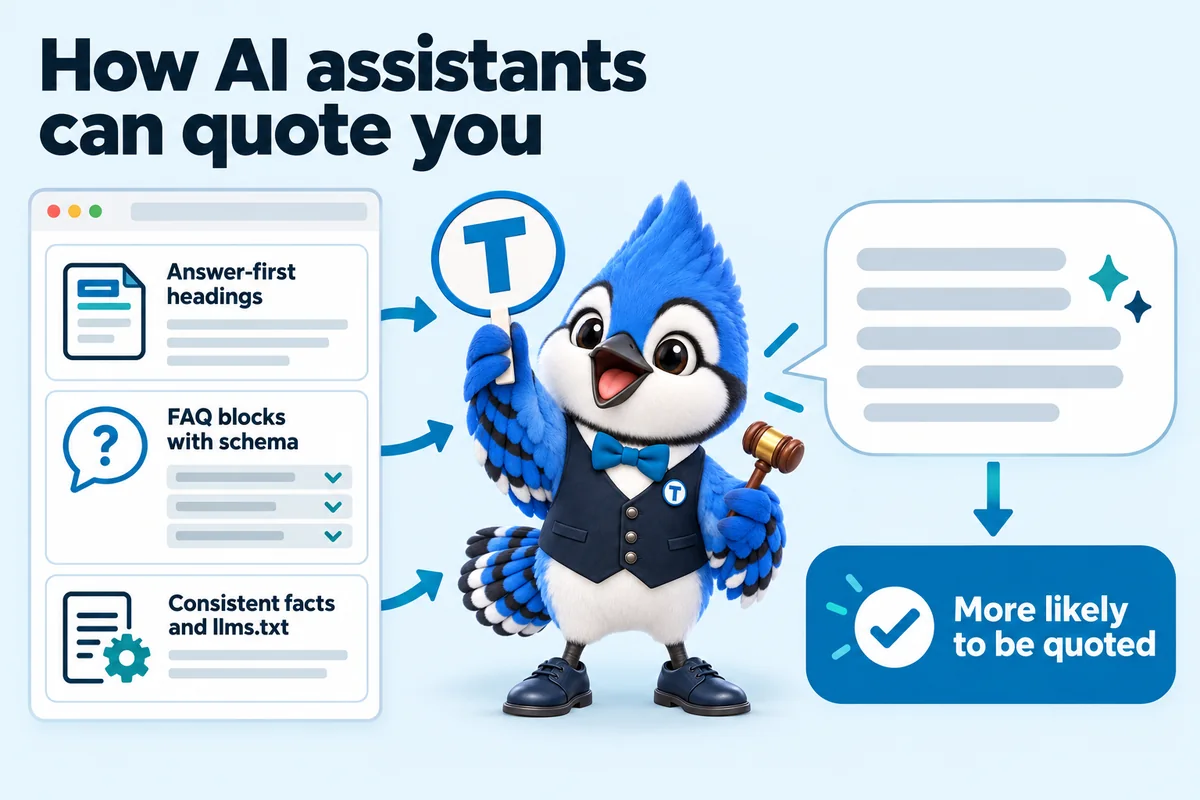
Answer engine optimization means writing so a search engine can lift the answer straight off the page. Every heading on your site is followed by a direct answer in the first sentence or two, questions are answered in visible FAQ blocks marked up with FAQPage schema, and steps and comparisons are laid out as lists and tables. That is the format featured snippets, voice answers and AI summaries pull from.
- 13.2
GEO: giving AI assistants something clear to cite
Generative engine optimization is about being quotable by AI assistants such as ChatGPT, Claude, Perplexity and Google AI Overviews. We keep your business name, sale types, service areas and terms consistent on every page, state facts plainly with dates, publish an llms.txt file that tells AI crawlers what the site covers, and keep AI crawlers allowed rather than blocked. Nobody can guarantee an appearance in an AI answer, and we do not, but these are the things that make one more likely.
A client portal from launch day
One place to request revisions, raise support tickets, send files and message the team.
- The problem it solves
- Change requests scattered across texts, emails and voicemails, with no way to see whether anything was done.
- Your part
- Log in when you need something. Nothing is required of you otherwise.
Available onPaddleRostrumBlock
- 14.1
Everything to do with the site, in one place
You get your account the day the site goes live. From the portal you request revisions, raise a support ticket, send files you still owe us and message the team directly, and every request is tracked so you can see where it is. You never need to log in to the website itself; we handle that side.
Your domain, registered in your name
One domain included while your plan is active, registered to you, and transferred to you at no charge if you leave.
- The problem it solves
- A previous web company registered the domain in their own name, and getting it back took months.
- Your part
- Tell us the domain you have, or the name you want. If you already own one, we simply point it at the new site.
Available onPaddleRostrumBlock
- 15.1
Owned by you, not by us
One domain is included free for as long as your plan is active, registered in your name through Cloudflare Registrar or Spaceship, so you own it outright. If you already have a domain, we point it at the new site and nothing changes for people who know your address. If you ever leave, tell us where to send the domain and we transfer it at no charge.
A move from your current site that keeps your search history
Old sale, catalog and results URLs mapped to new ones with 301 redirects at launch, and your past results rebuilt as an archive.
- The problem it solves
- Years of indexed sale pages and results disappear in a rebuild, and search traffic starts from zero.
- Your part
- Send access to your current site or an export of past results, in whatever form you have it.
Available onPaddleRostrumBlock
- 16.1
Redirects and the results archive
We map your existing sale, catalog and results URLs to their new equivalents and put 301 redirects in place at launch, so a bookmarked or indexed page still resolves and search rankings carry over instead of resetting. Past results sent as a spreadsheet, PDFs or an old archive page are rebuilt as a proper archive during the build, not as a later revision.
Accessible pages and the policy pages that come with them
Keyboard and screen reader friendly pages, an on-page accessibility toolbar, and the privacy, terms, cookie and accessibility pages a public site needs.
- The problem it solves
- A bidder who cannot use a mouse or reads with a screen reader cannot register, and the site has no privacy or cookie pages at all.
- Your part
- Supply your own terms of sale and any policies you already have. We build the pages around them.
Available onPaddleRostrumBlock
- 17.1
Built with accessibility in mind
Pages are built to work with a keyboard and a screen reader, with readable contrast, labelled form fields and 44 pixel tap targets, and carry an on-page accessibility toolbar. That helps you meet the accessibility expectations a public-facing business is held to under the Americans with Disabilities Act (ADA). It is a build standard, not a legal certification, and we do not give legal advice.
- 17.2
The policy pages your site launches with
Your site launches with a privacy policy, terms of use, a cookie policy backed by a consent banner that really does hold back optional scripts until a visitor agrees, and an accessibility statement. For an auction business we also build pages for your terms of sale, buyer premium and pickup rules, and where a form collects a phone number for text messages, consent wording written with the Telephone Consumer Protection Act (TCPA) in mind. The wording of your own terms stays yours; have your attorney review anything legal.
At a glance
Feature availability across the three plans
| Feature | Paddle | Rostrum | Block |
|---|---|---|---|
| Catalog pages built for lots, not blog posts | |||
| Pages that open instantly during a live sale | |||
| Paddle and bidder registration built into the site | |||
| Live sale status and countdown | |||
| Settlement and results pages | |||
| Search visibility for the sale types and areas you serve | |||
| The AI Engine | |||
| The Content Engine | |||
| Managed hosting and security | |||
| Inquiries and registrations routed to your CRM | |||
| Weekly updates and revisions, handled for you | |||
| Researched articles every week | |||
| Built to be found by search engines and quoted by AI assistants | |||
| A client portal from launch day | |||
| Your domain, registered in your name | |||
| A move from your current site that keeps your search history | |||
| Accessible pages and the policy pages that come with them |
How a sale moves through the site
The paddle to settlement ladder
Every plan is built around this sequence. A bidder registers, is issued a paddle, watches the sale, wins a lot, settles and is archived, and the website has one specific job to do on every rung.
- 01
Registration
A bidder fills in the registration page: contact details, payment on file where your process requires it, and the terms for that sale.
The website owes: A fast, mobile-first registration page that confirms what was submitted, not a PDF nobody can finish on a phone.
- 02
Paddle number issued
Your platform confirms a paddle or bidder ID once registration is complete, and the site reflects that confirmation back.
The website owes: An on-screen confirmation the moment it happens, so a bidder is not left refreshing an inbox to know they are in.
- 03
Bidding
The bidder watches the catalog and lot pages as the sale runs, checking status, current bid and time remaining.
The website owes: An accurate live status and countdown on every lot, reflecting what your bidding platform reports in real time.
- 04
Winning bid
A lot closes and a winning bid is recorded by your bidding platform, with the buyer premium calculated against it.
The website owes: A lot page that updates to a closed, sold status clearly, with no ambiguity about whether a bid was the winner.
- 05
Invoice and settlement
The winning bidder needs to see exactly what they owe: hammer price, buyer premium, tax where it applies, and how to pay.
The website owes: A settlement page laying out the invoice, payment method and pickup or shipping window in one place, not a follow-up email.
- 06
Results and archive
Once settled, the sale becomes part of your public record, useful to sellers deciding whether to consign and to search engines indexing your history.
The website owes: A searchable results archive that updates automatically, without a manual rebuild after every sale.
In use
What these features change in a sale week
Three client reviews from different kinds of auction business: an agricultural equipment house in California, a fine art and ceramics saleroom in Georgia and a commercial surplus company in Arizona.
Everyone talks about the new design; I cared more about where the old auction consignments links would land. We reviewed the full redirect map before launch and checked the destinations ourselves. The relaunch felt safe rather than hopeful.
Dina AbdoAuctioneer, agricultural equipment auction houseSanta Rosa, CA Got, on Paddle Page migration and redirect mapping for auction consignments
We approved the new auction consignments form only after trying hard to break it. Each error is flagged precisely where it happens, and nothing already entered is lost. Staff demonstrating the form to a customer no longer have to apologise for it.
John LovellCataloguing assistant, fine art and ceramics saleroomSavannah, GA Got, on Paddle Form usability and error handling for auction consignments
We shut at five-thirty. The auction consignments inquiries do not, and now the website copes with that. The form captures what a callback needs and says clearly that a person replies in working hours. Nobody mistakes an automated acknowledgment for an answer, which matters to us.
Wilfred ChadwickOperations coordinator, commercial surplus auction companyChandler, AZ Got, on Paddle After-hours inquiry capture for auction consignments
Weighing this against a builder or a freelancer? See the side-by-side comparisons.
Questions about features
What does the AI Engine do for an auction site?
On Rostrum and above, the AI Engine answers common bidder questions on the site, such as pickup windows or how registration works, and can route a consignment inquiry to your team. It is configured to hand off anything that resembles bidding advice, valuation or legal guidance to a person rather than answering it, because that is not something we or the AI Engine are positioned to give.
Is AI usage billed separately?
Yes. Rostrum is priced $267 a month plus AI usage, billed monthly in arrears at what our providers charge us. There is no markup and no flat AI fee hidden in the base price.
What does BidWebStudio actually build?
A website for your auction operation: a home page listing current and upcoming sales, a catalog page for lots, individual lot pages, a paddle or bidder registration page, terms of sale, and a settlement or results page once a sale closes. We do not run the bidding itself; the site presents your sales and links or embeds the bidding platform, CRM or payment processor you already use.
How long until my site is live?
7 days on Paddle, 10 on Rostrum while the AI agents are trained, and 15 on Block with the content engine running. The clock starts at the onboarding call, not at purchase, so the sooner the onboarding form is in, the sooner the site is live.
Can the site carry more than one sale at a time?
Yes. The catalog structure is built to list several active or upcoming sales on the home page, each linking to its own set of lots, closing times and terms, which matters for an operation running more than one sale room or event.
Is hosting an extra cost?
No. Hosting is included in the monthly fee and never billed separately. Your site runs on Cloudflare's global network with SSL, CDN, DDoS protection and unmetered bandwidth included. There is no hosting invoice, no SSL renewal, no bandwidth overage and no surprise line item during a high-traffic sale.
Can the site handle a traffic spike right before a sale closes?
Yes, hosting runs on Cloudflare's CDN with unmetered bandwidth, which is built to absorb the kind of traffic spike a closing sale or a well-shared lot can bring, without an overage charge landing on your invoice.
What are the researched articles, and who writes them?
2 articles a week on Paddle and Rostrum, and 3 a week on Block, each 2,500 to 3,200 words. They cover topics bidders and consignors search for, such as how absentee bidding works or what a buyer premium covers, and every figure in an article is cited to a real source. They are written by our editorial team under the personas shown on each article, not by an auctioneer, and they never give licensing, escrow or legal advice.
Can we suggest article topics?
Yes. Send topics through your client portal and we work them into the schedule alongside the topics we recommend from what bidders and sellers in your sale categories search for.
See these features on your own sale
A live walk-through of the full page set, built for your kind of sale, with the plan that carries the features you need.
Book a demo